1
Morning and evening, each in your own order
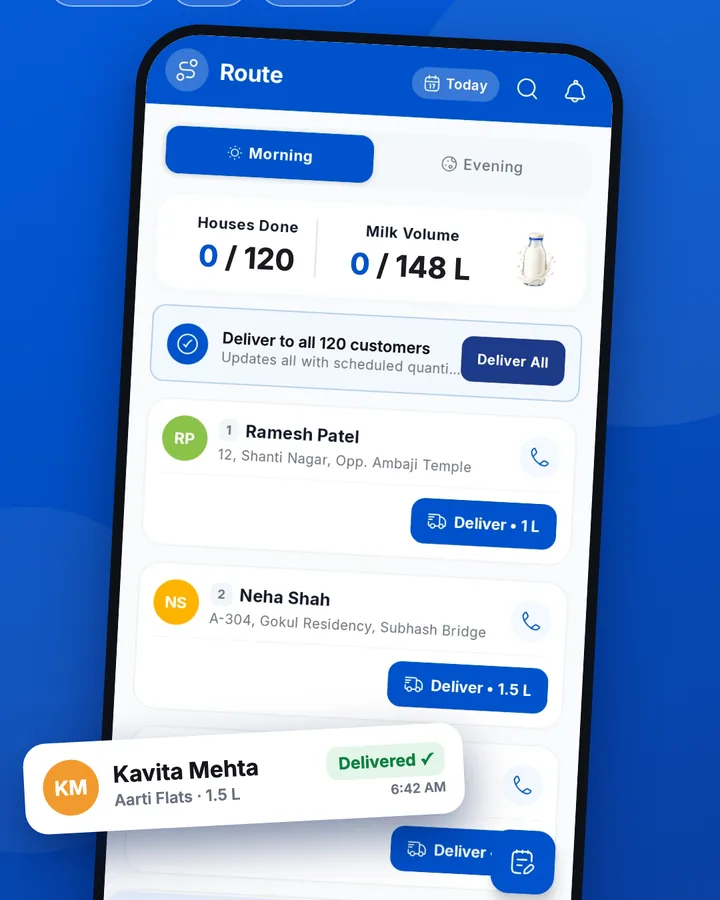
Arrange houses by dragging, separately for each shift. One tap per house, or Deliver all for the whole round.

 For milkmen and dairies
Tap Deliver all and the whole round is marked at each house's usual litres. Customers see it the same day, so the month ends without arguments.
Works without internet · ગુજરાતી, हिन्दी, English
Tap the phone to watch again
Arrange houses by dragging, separately for each shift. One tap per house, or Deliver all for the whole round.
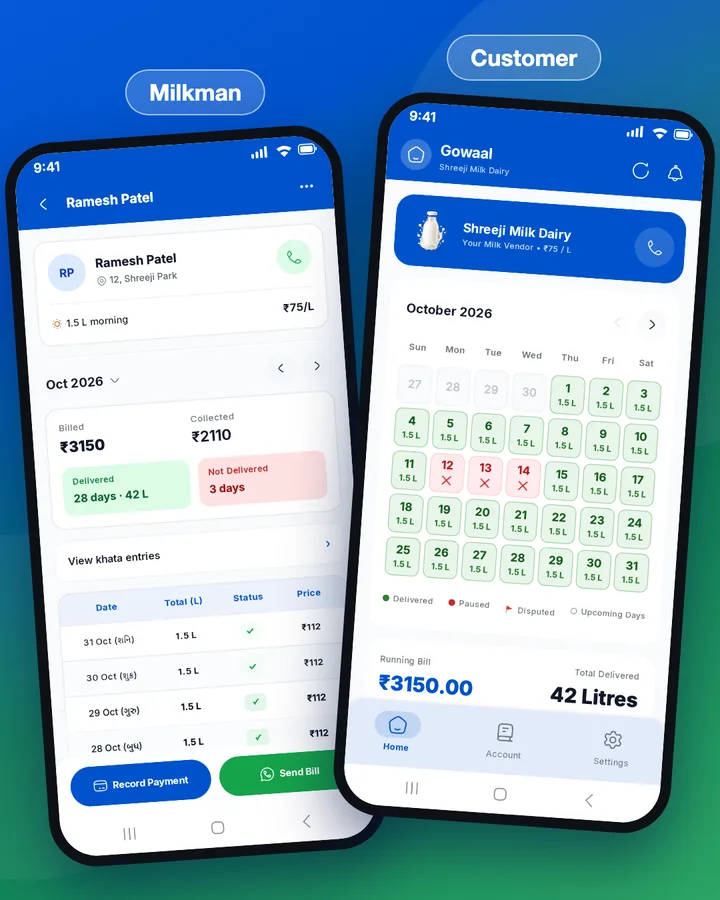
Every delivery shows on the customer's phone the same day. Wrong entry? Fix today's or yesterday's, and the customer is told.
Optional. A customer sees their record only after they scan your QR and you approve. Customers you add by hand see nothing.
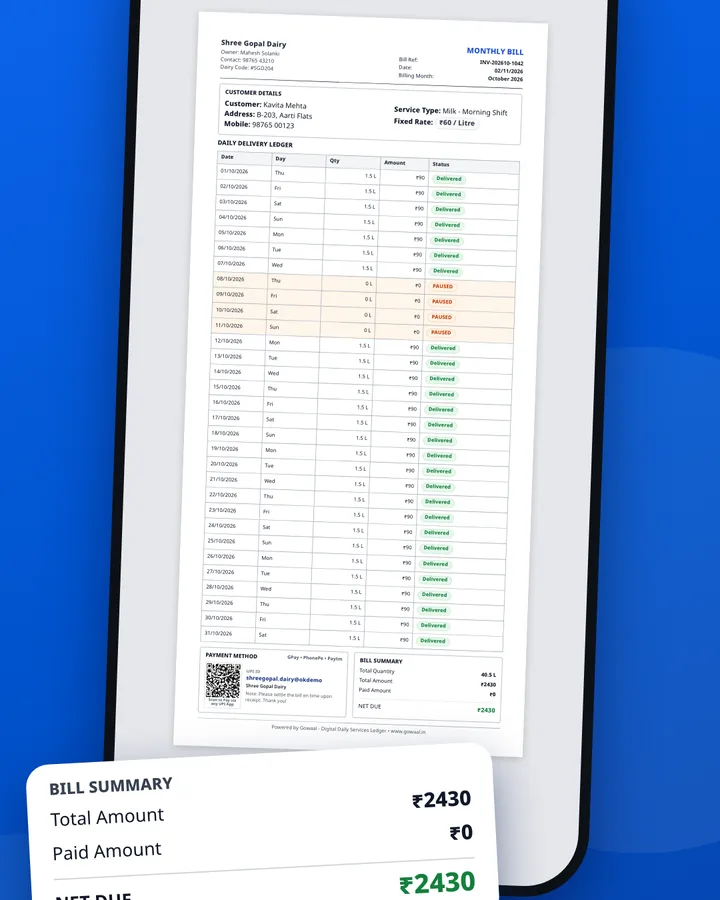
A PDF bill with your UPI QR, ready at month end. No counting the diary late at night.
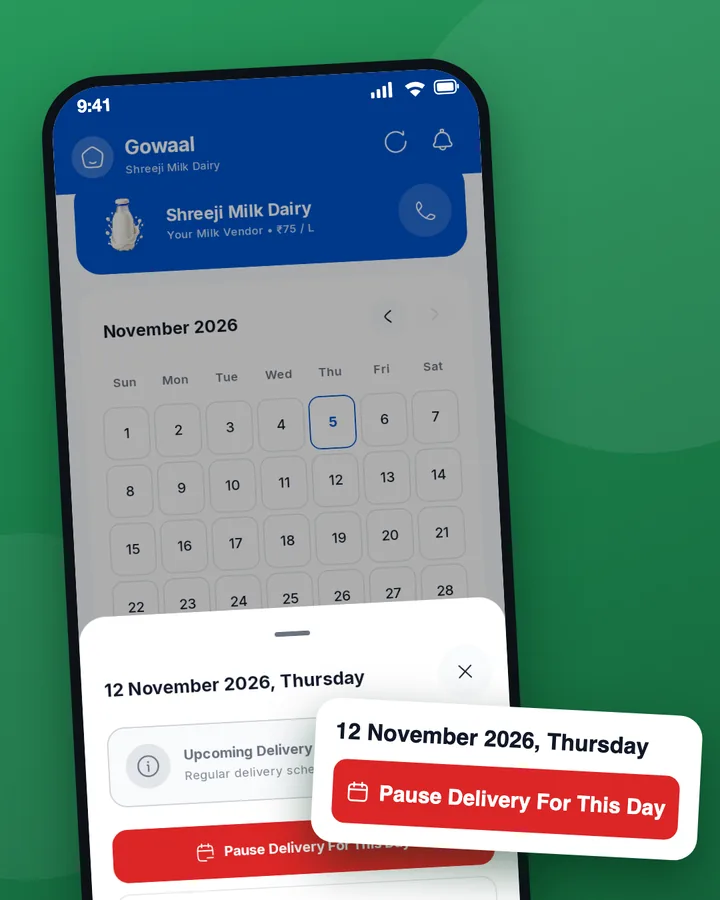
Customers pause their own dates in the app. You see “On leave” and the deliver button stays locked, so no milk is wasted.
This works for customers connected through the app. For customers you added by hand, you can pause the delivery yourself.
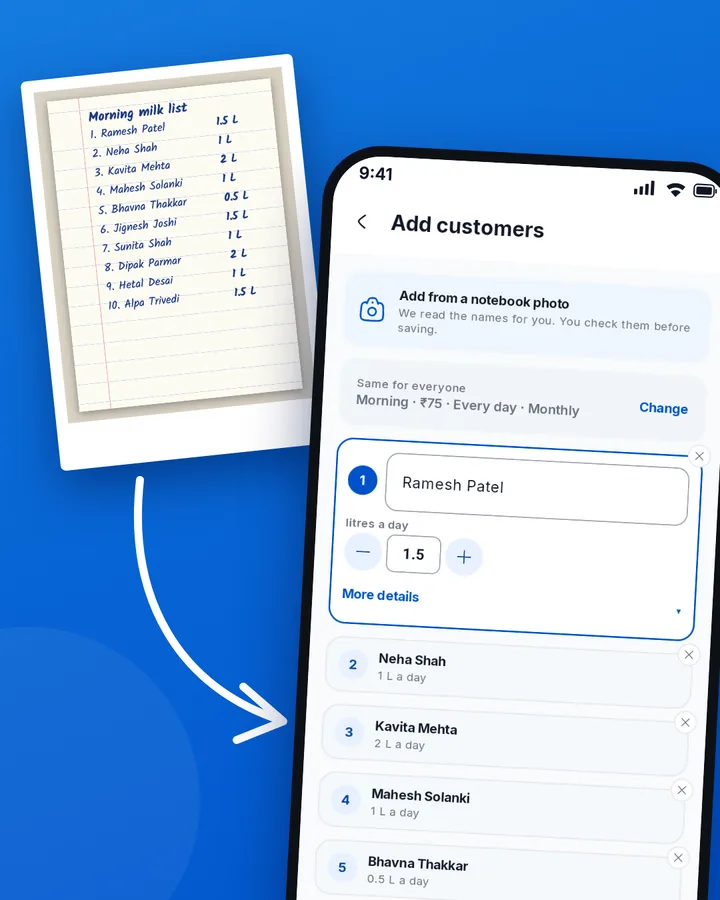
No adding customers one by one. Type just the name and litres for each, set the shift, rate and days once for everyone, and save with one button. Or take a photo of your diary page: the app reads the names and litres, and you check and save. Just as easy on day one and any day after.
Add your helper's name, phone and shift and send the code on WhatsApp. A Saathi sees only what you allow: delivery, cash or more. You see what they did, with the time, and “See as Saathi” shows you their screen. Customers, rates and bills stay with you.
Each product with its own rate, your Delivery Saathis, and shifts with Take a day off. When you change a rate, choose all customers on that product or only new ones, from the date you pick.
Entries save on the phone first and upload when the network returns. Your round never waits.
Yes. Entries save on the phone first and upload when the network returns.
No, it is optional. A customer sees their own calendar and bill only after they scan your QR and you approve. Customers you add by hand stay on your route and khata without the app.
Yes, a Delivery Saathi. Add their name, phone and shift and share the code. You approve them and choose what they can do. You see what they did, and customers, rates and bills stay with you.
Yes, you can change today's and yesterday's entries. The customer gets a notification. After two days the record locks, so both sides can trust it.
The customer pauses those dates and the shift in the app. You see “On leave” and the deliver button is locked for that day.
Share your QR or business code so customers join themselves, add them by hand, or take a photo of your notebook page and check the list before saving.
